
A remote podcast usually falls apart in familiar ways. The guest joins from a laptop mic in a bright kitchen. The browser grabs the wrong input. Someone forgets headphones, so the host's voice bleeds into the guest track. Then the conversation is great, but the files are messy, clipped, or missing.
That's why knowing how to record podcast remotely isn't really about finding one magic platform. It's about running a repeatable production system that protects quality before, during, and after the session.
Table of Contents
- Why Remote Podcast Quality Is About Systems Not Just Tools
- Choosing Your Remote Recording Stack Gear and Software
- The Pro Guest Onboarding Workflow
- Executing a Flawless Recording Session
- Secure Your Assets Post-Recording File Management
- From Raw Files to a Published Episode And When to Call for Backup
Why Remote Podcast Quality Is About Systems Not Just Tools
A better microphone helps. It doesn't fix a bad workflow.
Most remote recording problems happen upstream. The guest wasn't prepared. Nobody confirmed the right input. The host relied on a meeting app recording instead of isolated local tracks. The files were never checked after the session. People often blame the tool, but the failure usually comes from the process around it.
Remote podcasting is no longer a compromise format. The market is projected to reach $4.8 billion by 2033, and cloud-based platforms accounted for over 64% of deployments in 2024 according to remote podcast recording market projections. That matters because it confirms something producers already see every week. High-value podcast content can be recorded from anywhere when the workflow is disciplined.
A professional remote system has four parts:
- Pre-session control. The host standardizes the room, mic, headphones, browser, and backup instructions before the guest joins.
- Live-session discipline. The host monitors levels, bleed, plosives, and environment noise in real time.
- Post-session asset handling. Files are downloaded, named, backed up, and verified immediately.
- Editorial finish. Clean audio, synced tracks, video polish, and repurposing turn a raw call into an episode people want to watch or hear.
Practical rule: If a recording depends on the guest making smart choices in the moment, the system is too weak.
The smallest details usually separate amateur remote audio from something that sounds intentional. Closed-back headphones. A quiet room with soft surfaces. The mic aimed slightly off-axis instead of directly into the mouth. Simple treatment ideas like sound isolation for interview hosts can help reduce room reflections before editing has to rescue the recording.
Good remote production also provides advantages after the episode. Once the source files are clean, it's much easier to build clips, quotes, and platform-specific edits inside a broader content repurposing strategy for podcasts.
Choosing Your Remote Recording Stack Gear and Software
The stack should fit the show, not the other way around. A founder recording a weekly interview show doesn't need a complicated broadcast cart. But they do need a chain that's reliable, easy for guests, and good enough that post-production isn't forced to repair basic mistakes.
Start with the signal chain
For remote podcasting, the core gear is simple. Microphone, headphones, camera if video matters, and enough light to avoid muddy footage.
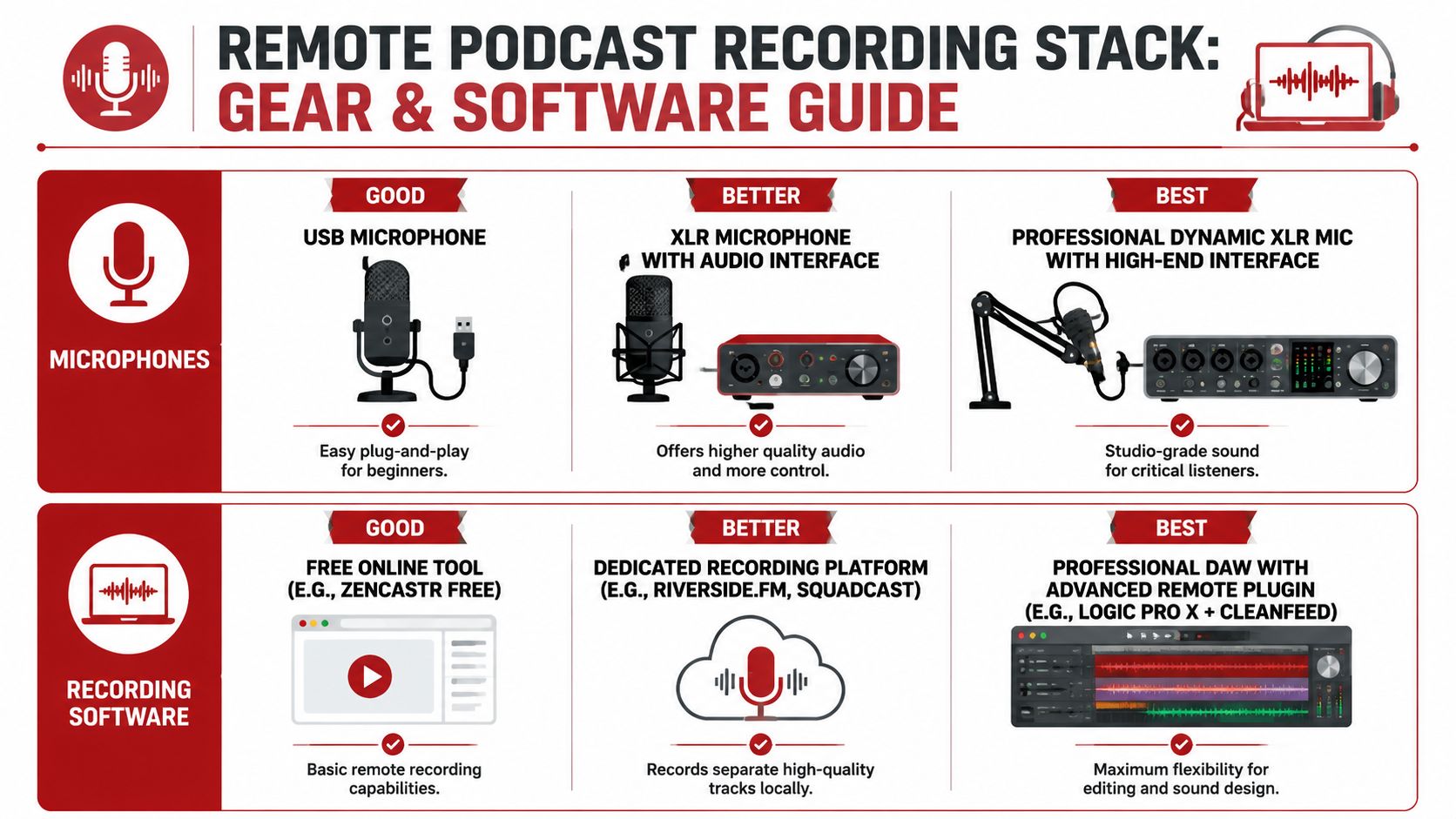
A practical way to choose gear is good, better, best.
- Good: A USB dynamic microphone is the easiest starting point. It cuts room noise better than a built-in laptop mic and doesn't require an interface.
- Better: An XLR microphone with an audio interface gives more control over gain staging and usually leaves more room to grow.
- Best: A professional dynamic XLR mic with a stronger interface and proper boom positioning is the move for hosts publishing consistently and caring about long-term brand quality.
For headphones, closed-back matters more than prestige. The goal is isolation, not style. If sound from the guest leaks into the microphone, the editor has to clean cross-bleed that shouldn't have existed.
Lighting follows the same logic. One soft key light at face level beats a bright overhead ceiling fixture. For video podcasts, clean audio with flat, shadowy video still feels half-finished. A useful benchmark is to think about the frame as part of the show design, not as a webcam call. Anyone planning a video-first setup should also study the production choices behind starting a video podcast that's built for distribution.
What matters most in recording software
Software choice should be based on three questions.
First, does it record locally on each participant's machine instead of relying on the compressed call feed?
Second, does it create separate tracks for each speaker?
Third, can a non-technical guest join without getting lost?
That's why dedicated remote platforms usually beat standard meeting apps. Platforms like Riverside.fm provide a 99.9% recording success rate by capturing 48kHz/24-bit audio and 4K video locally on each participant's computer, with a 35% improvement in audio fidelity over competitors and up to 60% less post-production time according to Riverside workflow benchmarks.
There's still room for trade-offs. Zencastr is often easier on budget. SquadCast has a strong reputation for straightforward remote capture. Riverside is especially useful when a show needs both strong local audio and separate high-resolution video tracks.
For hosts who still need cleanup after recording, tools focused on improving audio clarity for content creators can help reduce noise and sharpen spoken-word recordings. That's a repair step, though, not a substitute for proper capture.
Remote Recording Platform Comparison
| Feature | Riverside.fm | Zencastr | SquadCast |
|---|---|---|---|
| Local recording | Yes, local audio and video capture | Yes, local recording workflow | Yes, local recording workflow |
| Separate participant tracks | Yes | Yes | Yes |
| Video support | Strong fit for video podcasts and separate video files | Available, but workflows vary by plan and use case | Commonly used in video-enabled remote workflows |
| Guest experience | Browser-based and straightforward for most guests | Browser-based, generally simple | Designed to be simple for remote guests |
| Best use case | Audio plus video shows needing polished source files | Budget-conscious audio-first creators | Teams wanting a clean remote interview workflow |
The wrong platform creates hidden labor. The editor ends up fixing dropouts, merged tracks, and compressed call audio that should never have been the source file.
One more practical note. A service option can make sense when the host doesn't want to manage any of this directly. Get Up Productions handles remote recording support, audio editing, mastering, YouTube-optimized episodes, and multi-platform repurposing for brands building shows around authority and lead generation.
The Pro Guest Onboarding Workflow
Most remote episodes are won before the guest clicks the recording link.
Plenty of recording guides explain mic distance and browser settings. Far fewer explain how to systematically prepare guests so they arrive confident, on time, and technically ready. That gap matters because a repeatable guest prep system can reduce delays and prevent the 20 to 30% of remote sessions that fail due to preventable tech issues, as discussed in this guest prep workflow gap analysis.
What gets sent and when
A solid onboarding workflow doesn't bury people in technical jargon. It gives them short instructions in the order they need them.
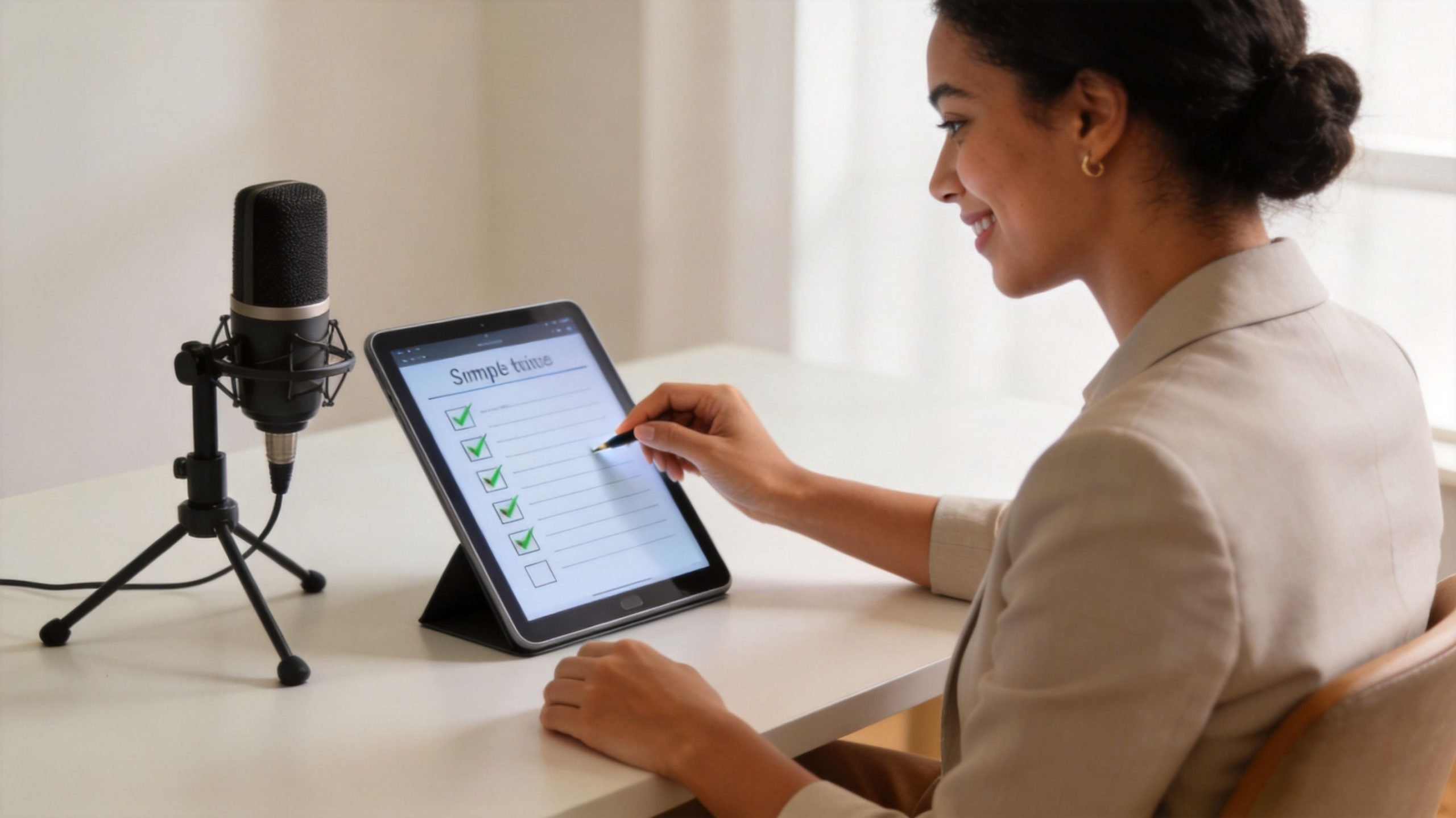
A practical cadence looks like this:
- Initial confirmation: Send the calendar invite with the recording link, timezone, estimated session length, and a plain-language note that headphones are required.
- One week out: Send a prep email with a short checklist. Quiet room, laptop on power, notifications off, browser updated, and the best available microphone.
- One day out: Send a reminder with the join link again, a room-prep note, and a request to join early.
- Day of session: Send a final short message with one instruction. Join a few minutes early and keep headphones plugged in before entering.
The tone matters. Guests shouldn't feel like they're being handed a technical exam. They should feel guided.
What the guest must know before joining
The strongest onboarding emails answer the questions guests are too polite to ask.
- What should they wear if video is included? Avoid tight patterns, reflective glasses if possible, and clothing that blends into the background.
- Where should they sit? In a quiet room with soft furnishings, not a kitchen, café, or large empty office.
- What device should they use? A computer is usually safer than a phone for browser-based remote platforms.
- What audio setup is acceptable? A USB or XLR mic is ideal. Earbuds with an inline mic are still better than a laptop microphone.
A good workflow also includes escalation. If a guest ignores prep instructions, someone on the production side needs a decision path. Reschedule, downgrade to audio-only, or proceed with clear expectations. That keeps the host from making rushed quality calls during a live session.
The guest onboarding email should remove uncertainty, not display technical expertise.
One more operational habit helps a lot. Keep a standard guest prep document that can be reused across every episode. The best systems don't rely on memory. They rely on templates, checklists, and a short preflight routine that can be repeated by anyone on the team.
Executing a Flawless Recording Session
The host's job during a remote interview is part interviewer, part producer. The conversation can be relaxed. The monitoring can't.
Run the room like a producer
Before the first question, the host should verify a few things out loud. Is the correct microphone selected? Are headphones on? Is the guest too far off-mic? Is there an air conditioner, fan, or desk vibration being picked up?
This check should sound calm and fast, not fussy. Most guests are happy to adjust when the direction is clear.
A clean opening routine often follows this order:
- Confirm audio input and output.
- Listen for room tone while nobody is speaking.
- Ask the guest to give a full-sentence answer so levels can be heard naturally.
- Fix plosives by moving the mic slightly off-axis instead of directly in front of the mouth.
- Start the actual record only after the monitoring is stable.
Use the double-ender method when quality matters
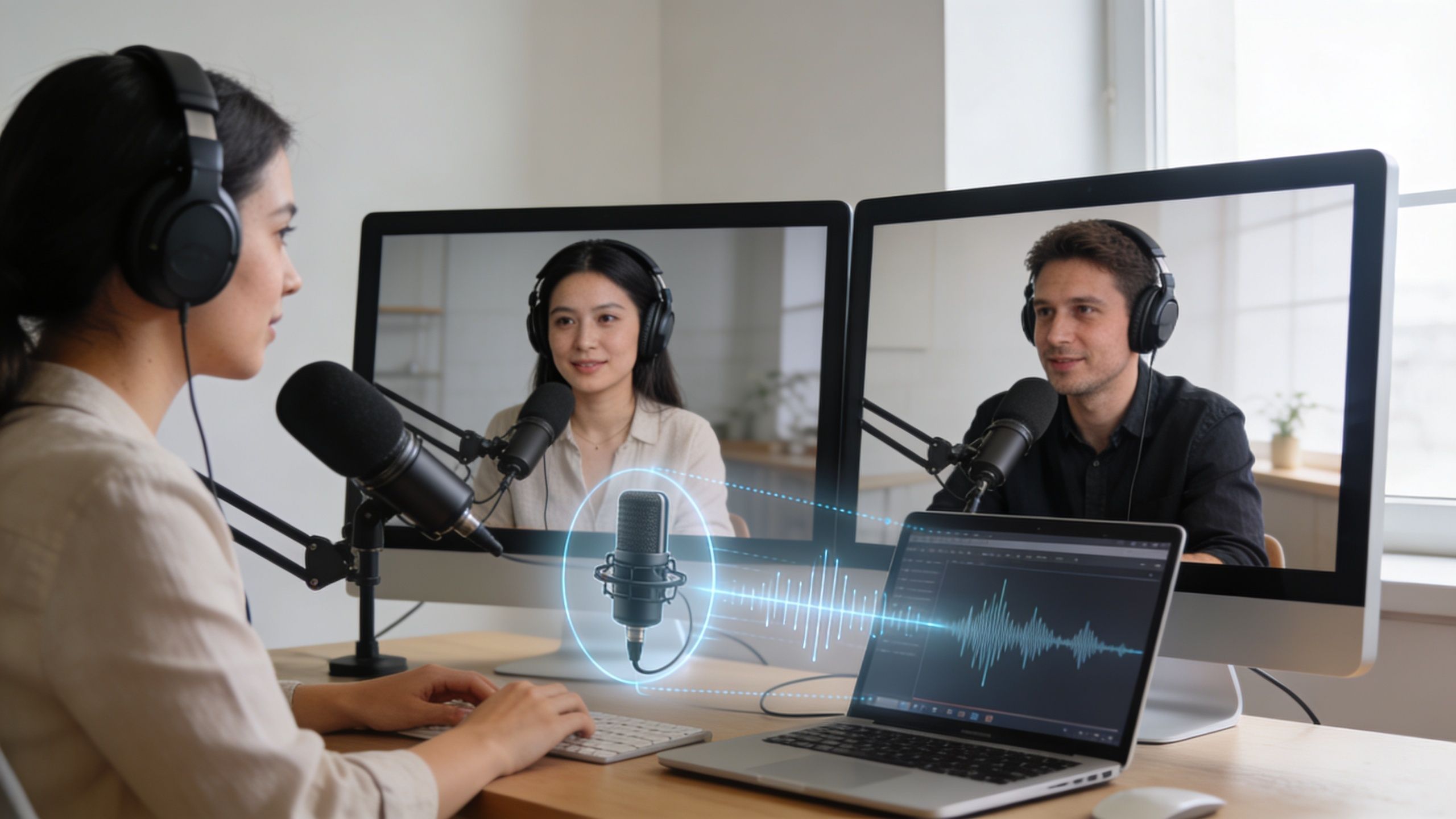
The double-ender method is still the gold standard for remote podcast audio. Each participant records their own high-quality file locally, while the live call is used mainly for communication. That separates the conversation from the final source recording.
According to Buzzsprout's remote recording guide, the double-ender technique yields 40% cleaner audio than recordings captured directly over a video call. A simple sync marker like a group clap creates a sharp waveform transient that lets editors align tracks with over 95% accuracy, and it can cut editing time in half.
A reliable workflow looks like this:
- Before recording: Have everyone ready their local capture tool or platform.
- At the start: Count down “3, 2, 1” and clap once together.
- During the interview: Keep the communication line open, but trust the local recording as the master source.
- After stop: Make sure each participant saves or uploads before moving on.
This video gives a useful visual reference for the recording process in practice.
What to monitor while recording
Good producers don't just watch the timer. They listen for the problems that get expensive in post.
- Clipping: If the guest laughs loudly and the level crunches, the take may not be recoverable.
- Bleed: If the host can hear their own voice in the guest track, headphones may be too loud or missing.
- Plosives: Strong “p” and “b” blasts usually mean the mic is too direct and too close.
- Drift in posture: Guests often start with good mic position and slowly lean back over time.
A host should interrupt briefly to fix a technical problem. That's better than pretending it can be repaired later.
The strongest live direction is specific and polite. “Can the microphone come two inches closer?” works better than “Audio sounds a little off.” Precision keeps the session moving.
Secure Your Assets Post-Recording File Management
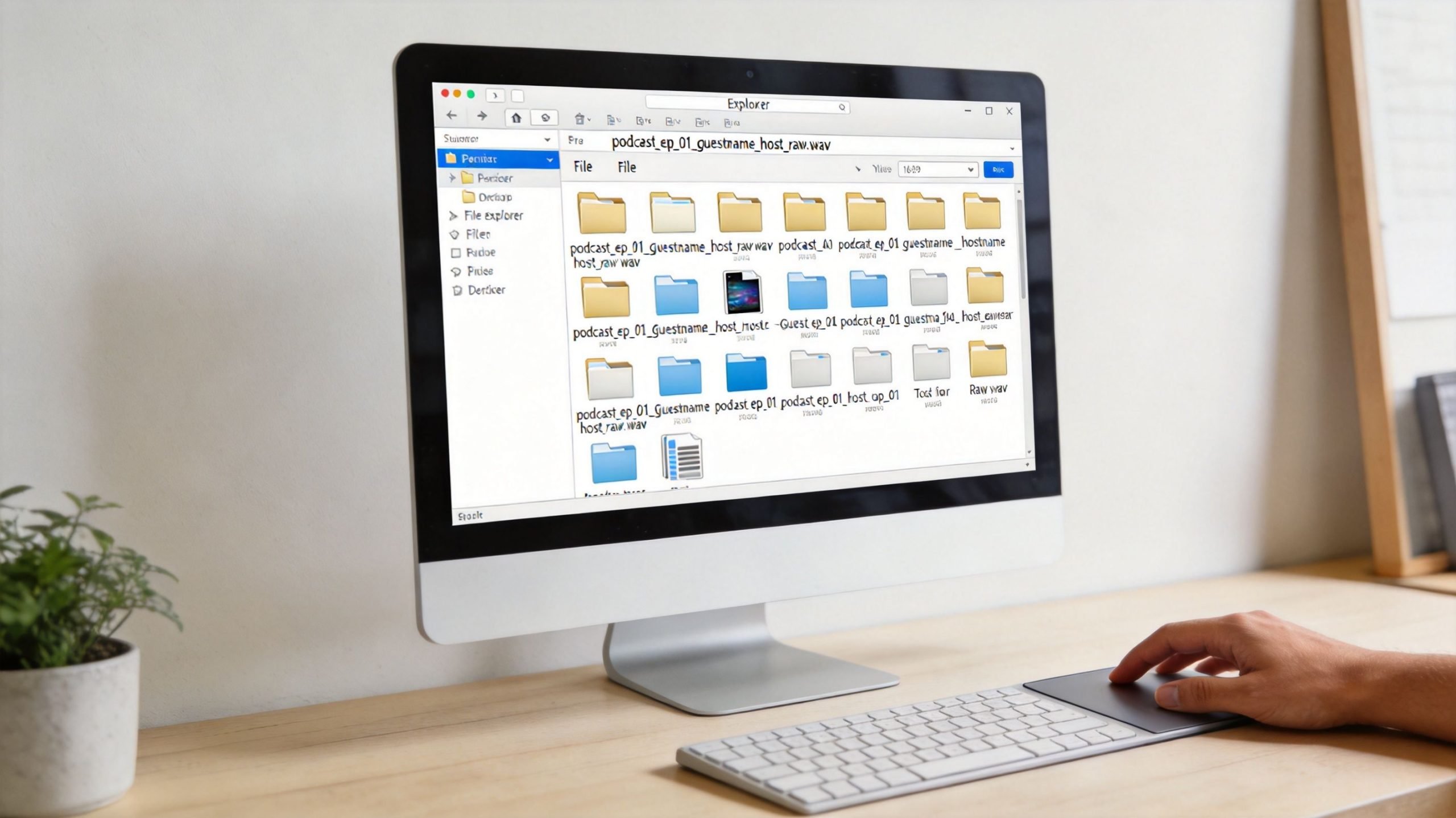
The recording is not safe when the conversation ends. It's safe when the files are downloaded, checked, renamed, and backed up.
That discipline is what prevents the worst kind of loss. Not a bad interview. A great interview with missing assets.
Download and verify before anyone logs off mentally
The first job after the session is verification. Not editing. Not posting a teaser. Verification.
Open each file. Confirm that each speaker has a complete track. Check that the duration looks right. If video was recorded, confirm the video files play and aren't partial uploads. If a guest has a local file to send manually, the producer should request it immediately while the session is still fresh.
A simple post-session checklist helps:
- Confirm file count: Every speaker should have a distinct asset if isolated tracks were expected.
- Check playback: Scrub the beginning, middle, and end of each file.
- Verify uploads: Don't assume a cloud platform finished syncing just because the session ended.
- Create an immediate backup: Duplicate the raw assets before any edits begin.
A file system that editors won't hate
File naming should remove guesswork. A format like ShowName_EpisodeNumber_GuestName_TrackType_Date keeps things sortable and predictable.
Folder structure matters too. One folder for raw recordings. One for project files. One for exports. One for final approved assets. Once a show starts publishing regularly, sloppy file names create avoidable confusion fast.
Clean file management is part of production quality. Editors feel the difference immediately.
A backup routine should be boring and consistent. Keep multiple copies, use more than one storage location, and make sure one copy lives off the working machine. The exact storage tools can vary, but the habit should never vary.
From Raw Files to a Published Episode And When to Call for Backup
Recording is only the capture phase. The finished episode still has to be built.
That usually starts with syncing the isolated tracks, choosing the cleanest source files, and removing obvious mistakes, restarts, and distracting filler. Then comes audio work. EQ to clean up mud or harshness, compression to even out dynamics, level matching between speakers, and noise cleanup if needed. If video is part of the show, the editor also has to align camera angles, tighten pacing, add branding, and export platform-specific versions.
What happens in post-production
Remote podcasting often creates a better budget trade-off than traditional studio logistics. According to remote production cost data in the podcast industry, 50% of podcast studios report reduced operational costs from remote production. That shift lets creators put more resources into post-production quality, repurposing, and distribution instead of physical overhead.
A strong post workflow usually includes:
- Editorial cleanup: Remove dead air, repeated phrases, and sections that weaken momentum.
- Audio finishing: Apply corrective EQ, compression, loudness balancing, and final mastering.
- Packaging: Add intro, outro, music, titles, descriptions, and thumbnail-ready moments.
- Repurposing: Pull clips, audiograms, quotes, transcripts, and social edits from the same source conversation.
Transcripts help at multiple stages. They make editorial review faster, improve accessibility, and speed up quote extraction. Teams building a more efficient text workflow can learn from dedicated podcast transcription guides.
Anyone launching a show also needs the publishing side locked down. Hosting, show positioning, episode naming, artwork, and launch sequencing matter just as much as the recording workflow. This broader checklist is covered well in how to launch a podcast for long-term consistency.
When handing it off is the smart move
There's a point where doing everything in-house stops being efficient.
If the host is also the marketer, scheduler, interviewer, editor, clip producer, and publisher, quality usually starts slipping in one of two places. The recordings become rushed, or the backlog grows until episodes stop shipping on time. Neither problem is caused by a lack of ambition. Both are caused by overloaded production.
The right time to bring in backup is when the show has clear business value and the technical workflow is draining time from strategy, sales, or audience development. At that point, outside production support isn't a luxury. It's an operational asset.
Get Up Productions helps brands and creators run remote and in-studio video podcasts without managing the technical workload themselves. The team handles recording support, editing, mastering, YouTube-ready delivery, and repurposed content so hosts can stay focused on the conversation and the audience. Explore Get Up Productions to see how a turnkey production workflow can support a more consistent show.