
A lot of brands reach the same point at the same time. They’ve posted enough random clips, enough talking-head videos, and enough disconnected thought leadership to realize the problem isn’t effort. The problem is the lack of a system.
That’s where a video podcast changes the game. Done well, it isn’t just a show. It’s a repeatable content engine that produces long-form authority, short-form distribution, sales-enablement assets, and a stronger brand presence from one recording session.
That shift matters because audience behavior has already moved. 90% of Gen Z engage with podcast video content, YouTube reported over 1 billion monthly podcast viewers as of early 2025, and 51% of Americans have watched a video podcast according to Podbean’s video podcast statistics roundup. For founders, consultants, nonprofits, and marketing teams, learning how to start a video podcast now is less about chasing a trend and more about building a modern publishing channel the brand controls.
Table of Contents
- Designing Your Show Concept and Format
- Choosing Your Gear and Recording Setup
- Mastering Your Recording and Production Workflow
- Editing and Optimizing Your Episodes for Viewers
- The Content Waterfall Repurposing Strategy
- Measuring Success and Deciding How to Scale
Designing Your Show Concept and Format
Most failed podcasts don’t start with bad gear. They start with a vague concept. “A show for entrepreneurs” sounds broad enough to attract everyone, but it’s usually too broad to matter to anyone.
Start with the business outcome
A strong show starts with a commercial or organizational objective. That objective shapes the guest list, the episode structure, the call to action, and even the visual identity. If the goal is lead generation for a B2B service firm, the show should answer buyer questions and reduce trust friction. If the goal is donor engagement, the show should spotlight stories, proof of impact, and the people behind the mission.
The target audience also needs to be narrow enough to guide editorial choices. “Consultants” is weak. “Operations consultants selling into founder-led service businesses” is usable. “Early-stage SaaS founders dealing with churn” is even better. Specificity produces better questions, better titles, and better conversion paths.
Practical rule: If a team can’t describe the exact person the show is for, it’s too early to name the podcast.
A useful concept test is simple. Could someone on the team pitch the show in one sentence without using generic phrases like insights, conversations, or value? If not, the concept still needs work.
For brands looking at what a more deliberate show architecture can look like, reviewing examples of produced brand-led podcasts helps clarify the difference between a show with a clear market position and one that just records interviews.
Pick a format your team can sustain
Format is a strategic decision, not a creative afterthought. Different formats create different workloads.
- Interview shows work well when the brand wants outside credibility, industry relationships, and easier content variety.
- Solo episodes fit founders, consultants, and subject-matter experts who need direct authority building.
- Co-hosted formats can create strong chemistry, but they also add scheduling complexity.
- Panel episodes can be compelling, though they raise production difficulty fast and usually require tighter moderation.
A practical choice often comes down to consistency. A simple interview format with a clear recurring structure usually outperforms an ambitious concept that the team can’t maintain. Sustainable beats clever.
A podcast should be designed like an editorial product and a marketing asset at the same time.
The strongest approach is usually a show built around one clear promise, one primary audience, and one format that can survive a busy quarter. That’s the difference between launching a podcast and building a channel.
Choosing Your Gear and Recording Setup
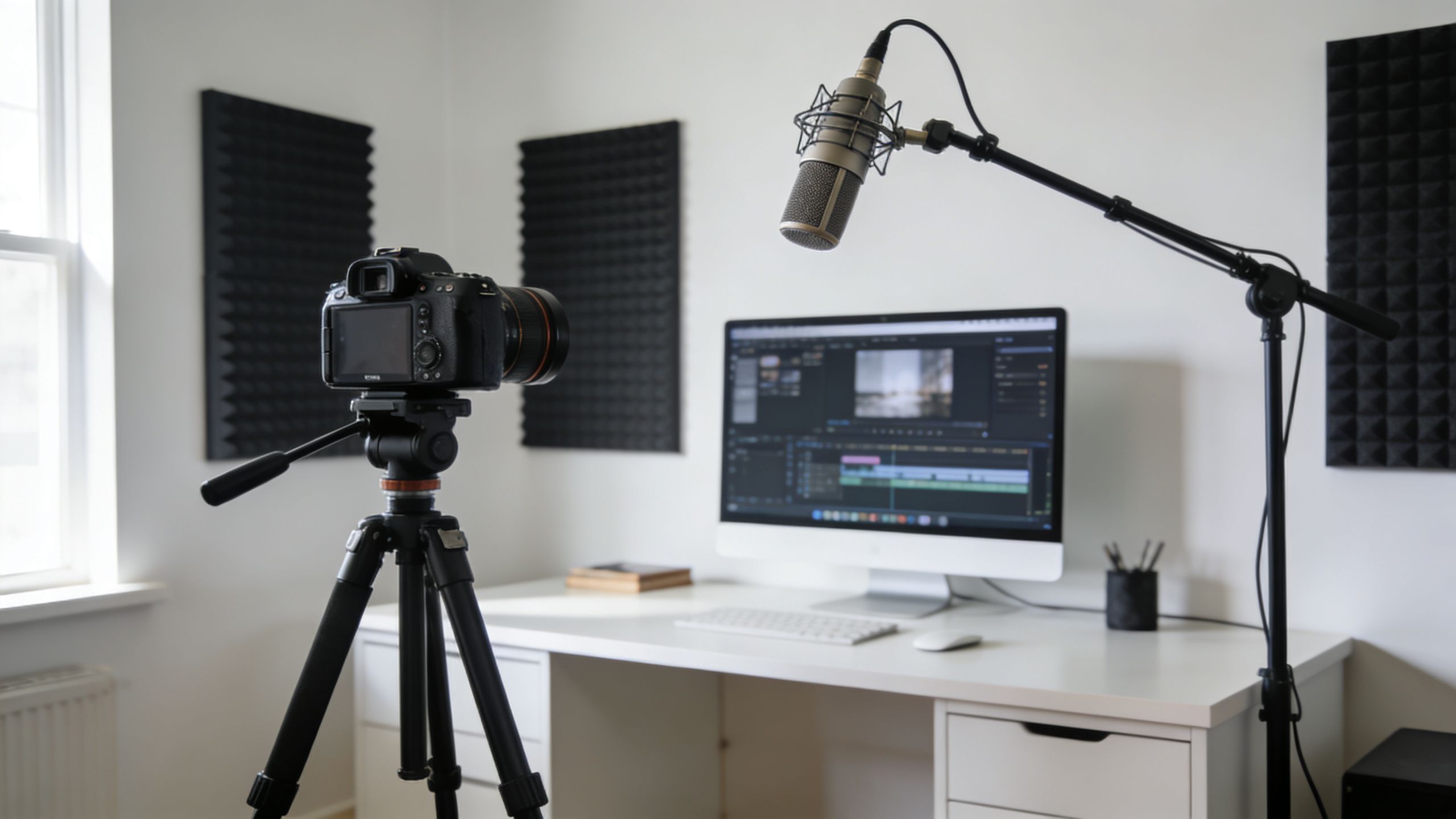
A professional setup doesn’t need to be extravagant. It needs to be reliable. Most amateur-looking podcasts come from avoidable problems: bad acoustics, weak lighting, inconsistent framing, or gear choices that create more post-production work than they save.
Build a setup around sound first
Audio carries the show. Viewers will forgive a less cinematic shot faster than they’ll forgive harsh, hollow, or echo-heavy sound.
For a professional in-studio setup, experts recommend Shure SM7B microphones, Cloudlifter preamps, Sony A7 IV cameras for 4K video, and Aputure 120D key lights. A benchmark solo setup costs around $2,500, while a co-host setup is closer to $5,000. That same guidance notes that echoey audio can cause a 40% higher listener drop-off in the first 30 seconds, based on Buzzsprout’s podcast setup guidance.
That doesn’t mean every show needs to buy that exact rig on day one. It does mean every show should understand why those tools are common:
- Dynamic microphones like the Shure SM7B reject more room noise than many condensers.
- A proper preamp chain helps capture cleaner voice recordings.
- Cameras with strong image profiles give editors more flexibility in color correction.
- Dedicated lighting creates shape on the face and separates the host from the background.
Decide between in-studio and remote
The right setup depends on the production model.
| Setup path | Best for | Trade-off |
|---|---|---|
| Dedicated in-studio | Brands recording regularly with consistent hosts or local guests | Higher setup cost, better control |
| Remote recording | Distributed teams, national guests, fast scheduling | Less environmental control |
| Hybrid model | Teams with some local shoots and some remote interviews | More workflow complexity, more flexibility |
An in-studio setup creates consistency. The same frame, the same audio chain, and the same lighting help the show feel like a real property instead of a series of one-off recordings. Remote production gives access and speed, but it only works when the team standardizes guest instructions, camera framing, room choice, and mic use.
For teams evaluating room design, camera placement, and production environments, a look at a dedicated podcast studio setup clarifies what “professional” usually includes beyond just buying better gear.
Good equipment doesn’t rescue a bad room. A treated room with disciplined mic technique often beats expensive gear used carelessly.
Before buying anything, define the recording model first. Otherwise teams overspend on gear that doesn’t fit the actual workflow.
Mastering Your Recording and Production Workflow
Recording day is where polished brands separate themselves from hobby projects. The difference usually isn’t talent. It’s process.
Create a repeatable recording day
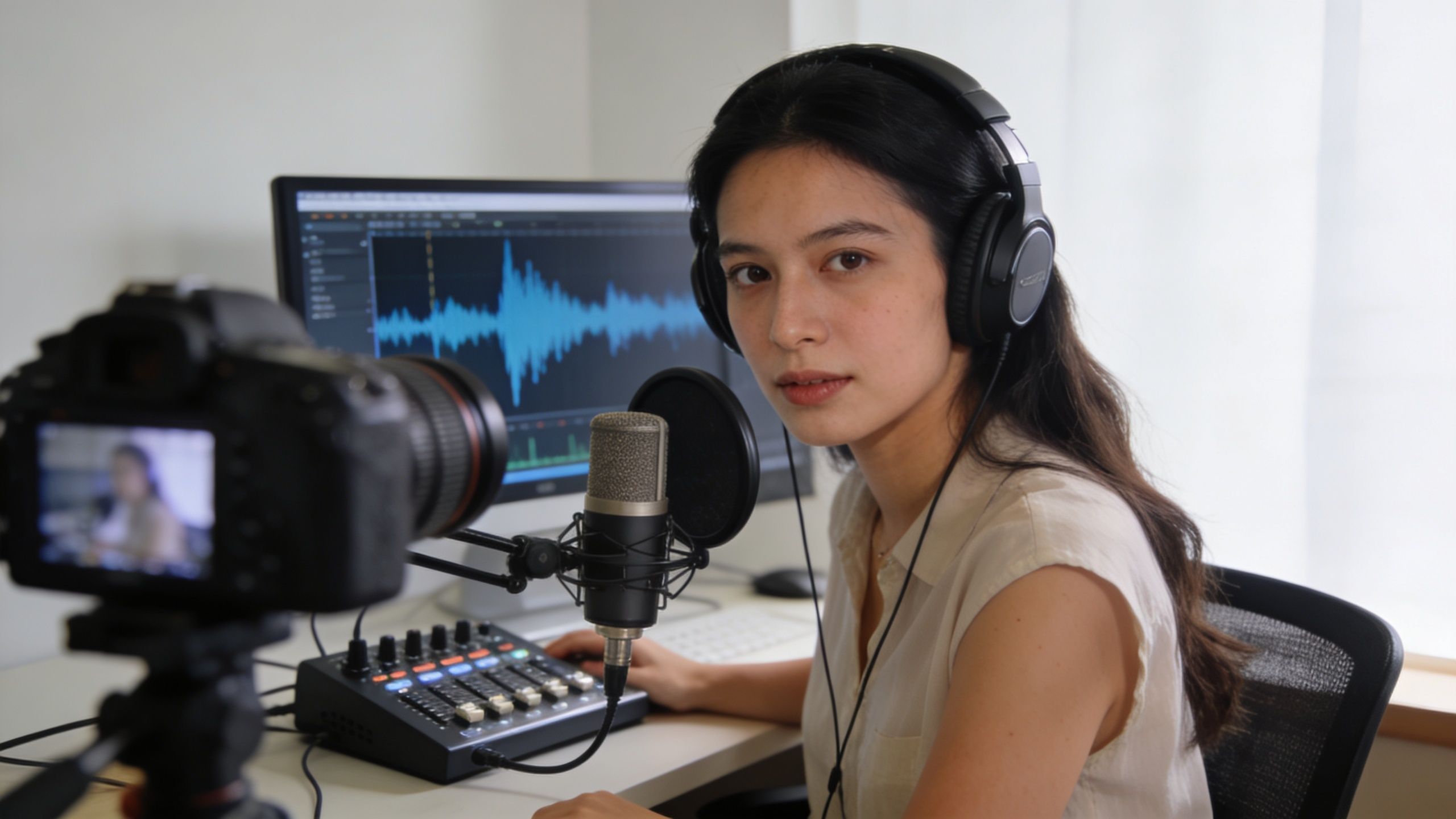
A repeatable workflow keeps quality stable and stress low. Every shoot should start with the same checklist, in the same order.
- Check the room. Turn off noise sources, soften reflective surfaces, and remove distractions from the frame.
- Set the microphones. Keep the mic close enough for presence, but not so close that plosives and breath noise become a problem.
- Lock the cameras. Once framing is approved, avoid unnecessary changes between episodes.
- Test audio and video together. Catch issues before the conversation starts, not in the edit.
- Record a sync point. A simple clap at the start still solves a lot of editing problems.
Teams that skip the preflight stage usually pay for it later. They lose time fixing gain problems, color mismatches, missing backups, and awkward cuts that could’ve been avoided in five minutes.
Frame and light for authority
A video podcast should look intentional. That doesn’t require a flashy set. It requires a flattering image and a frame that supports the host’s authority.
Three-point lighting remains the most practical baseline. A key light shapes the face. A fill softens shadows. A backlight or edge light separates the subject from the background. Even in a minimal setup, this principle matters because flat overhead room light makes a podcast look accidental.
Framing also changes how the host is perceived. A medium shot usually works best for most business podcasts because it keeps facial expression visible while preserving some body language. A wide shot can establish the set. A tighter angle can add energy during key moments. Using multiple camera angles creates more editorial options, but only if each camera has a purpose.
- Wide angle helps establish the environment and works well for two-person conversations.
- Medium shot is the workhorse angle for most episodes.
- Close angle adds emphasis during strong statements or emotional moments.
This walkthrough is useful because it shows the visual discipline required on recording day, not just the final polished result.
Protect the edit before you record
Editors can fix a lot. They can’t fix missing coverage, distorted audio, or a host who’s buried in a dark frame.
A clean production workflow usually includes separate audio tracks where possible, a backup recording, stable file naming, and a simple slate or hand clap at the beginning. That one habit makes syncing faster and reduces unnecessary edit friction.
Recordings should be organized for the editor before the record button is pressed.
Hosts also need on-camera discipline. Pause after a guest finishes. Don’t talk over key answers. Repeat part of the question when necessary so clipped moments still make sense in short-form excerpts. Those habits matter later when the same episode gets sliced into clips for other platforms.
The smoothest production days come from boring consistency. That’s a good thing. A professional show should feel repeatable, not improvised.
Editing and Optimizing Your Episodes for Viewers
Post-production is where raw footage becomes an asset that people will finish, share, and find later. Editing isn’t just cleanup. It’s where strategy and craft finally meet.
Edit for retention, not vanity
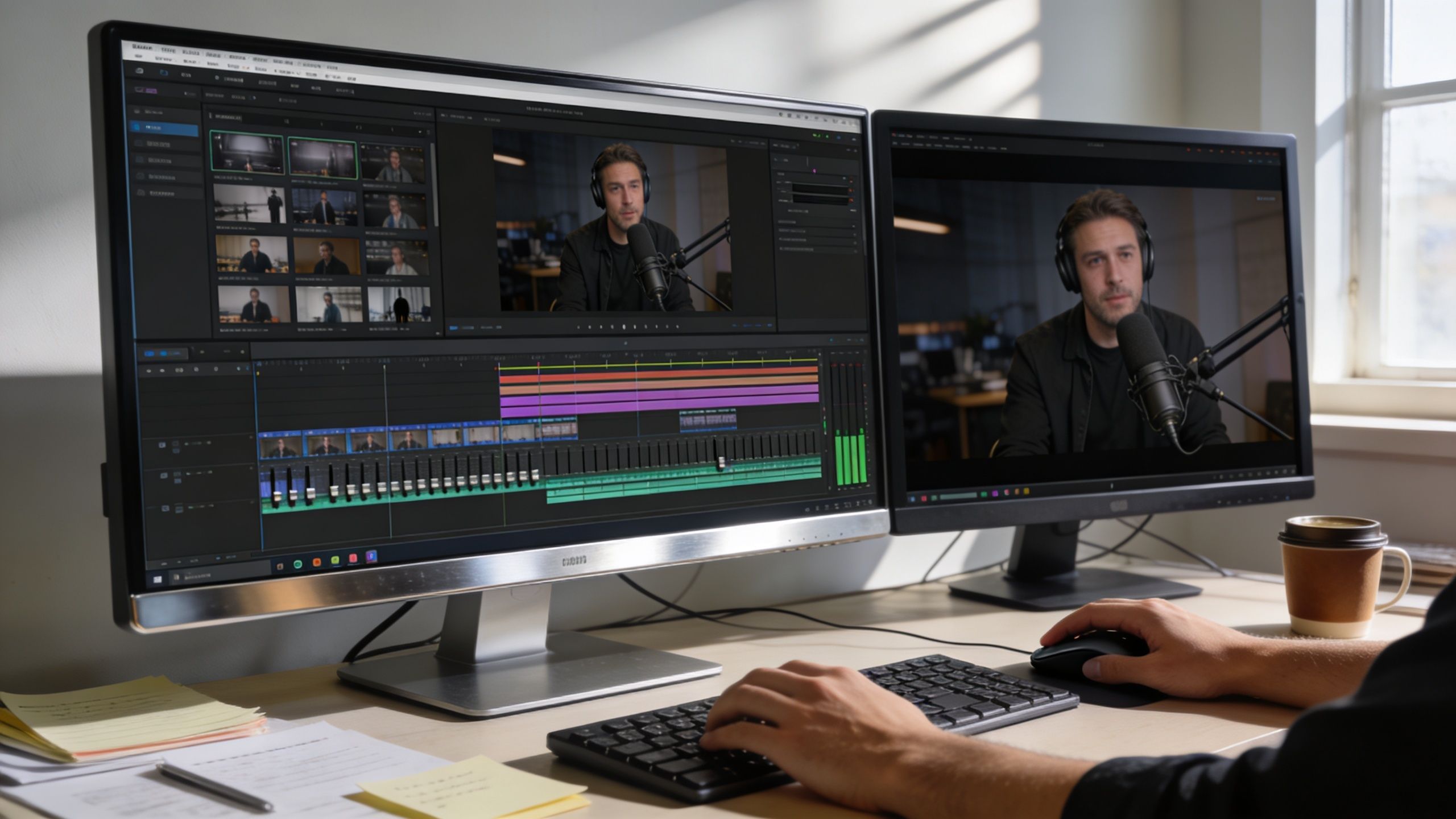
A strong podcast edit protects the conversation’s momentum. That usually means trimming dead air, reducing repetitive phrasing, tightening meandering intros, and removing anything that makes the viewer wonder when the main episode will start.
The software matters less than the editor’s judgment, but the tool still shapes workflow. DaVinci Resolve is a serious option for teams that want a powerful editor without adding another subscription. Adobe Premiere Pro remains common when the podcast is part of a larger video operation. For teams comparing creator workflows and popular editing tools, Satura AI's editing insights offer a practical overview.
The audio side needs the same discipline. Dialogue should sound even, clear, and comfortable over a full episode. Loudness standards matter here too. A common podcast target is -16 LUFS, which keeps playback more consistent across listening environments.
Package the episode for discovery
A polished edit still underperforms if the packaging is weak. Many teams spend hours refining the cut and then publish it with a generic title, a thumbnail that says too much, and a description that says almost nothing.
A better publishing checklist looks like this:
- Title with a real promise. Use language the audience would search for, not internal jargon.
- Custom thumbnail. Prioritize one idea, one visual focal point, and readable text if text is used at all.
- Description built for search and clicks. Summarize the episode clearly and place the call to action where it’s easy to find.
- Chapters and timestamps. Help viewers scan the episode and jump to relevant sections.
- On-screen graphics and b-roll. Use them to clarify, not decorate.
The edit finishes the episode. The packaging determines whether anyone starts it.
This is also where many business podcasts lose the plot. They edit like creators but publish like archivists. A brand show should be optimized like a media product. That means every episode needs a reason to be clicked and a reason to keep watching.
The Content Waterfall Repurposing Strategy
The biggest mistake in video podcasting is treating the full episode as the final product. It isn’t. The full episode is the source material.
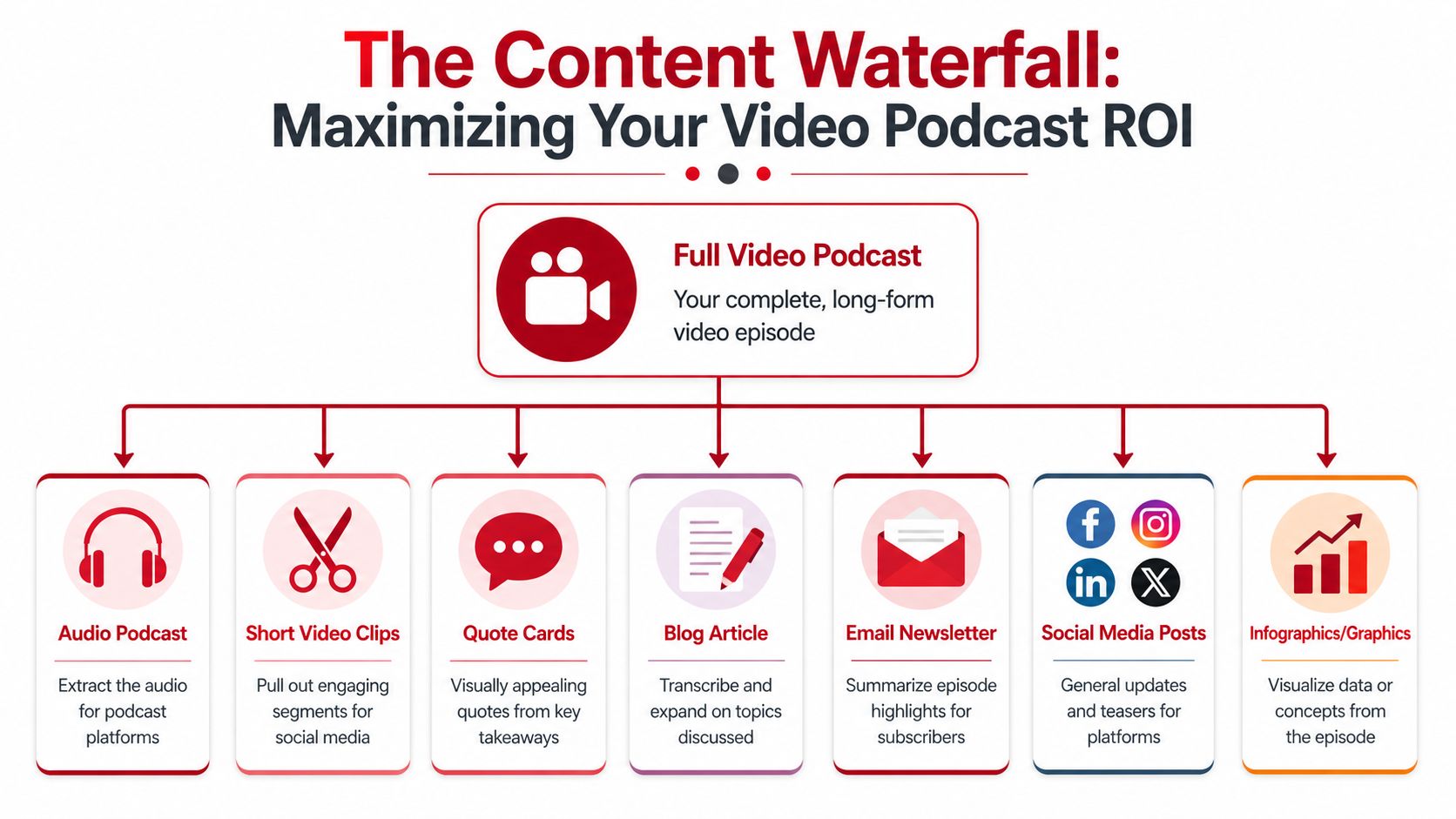
One recording should create weeks of assets
The Content Waterfall matters. Instead of publishing one long-form episode and hoping it performs, the team extracts multiple content types from the same recording session and distributes them according to platform behavior and business goals.
That approach addresses a major gap in most how to start a video podcast advice. Repurposed clips drive 70% of podcast growth, a Content Waterfall approach saves brands 20 to 30 hours per episode, TikTok shorts from podcasts see 3x higher engagement, and Instagram Reels convert 25% better for B2B lead generation, according to The Podcast Consultant’s video podcast guide.
A practical waterfall often includes:
- The full video episode for YouTube and embedded website pages.
- The audio version for podcast platforms.
- Vertical clips for YouTube Shorts, Instagram Reels, and TikTok.
- Quote graphics for LinkedIn and other text-friendly channels.
- A transcript-led blog post that expands a key theme from the conversation.
- Email copy that gives subscribers a reason to watch or listen.
- Sales-enablement snippets that answer common objections or explain a core idea.
Most teams don’t need more content ideas. They need better extraction from the content they already recorded.
Match the asset to the platform
Repurposing only works when the team adapts the material instead of dumping the same cut everywhere.
Short-form clips need a strong opening line. LinkedIn usually rewards clips and quote-led insights that feel native to professional conversation. Blog content should reorganize the episode into a readable argument instead of pasting a transcript. Email should summarize the payoff fast.
This is also why clipping shouldn’t be random. The best moments for short-form aren’t always the funniest or loudest. They’re the moments with a clean setup, a sharp takeaway, and a clear standalone value proposition.
A useful filter for selecting clips:
| Content type | What to look for |
|---|---|
| Short video clip | A complete idea with a strong first sentence |
| Quote card | A sentence that sounds credible out of context |
| Blog section | An explanation that benefits from expansion |
| Email teaser | A takeaway that creates curiosity without confusion |
Teams that skip this system usually end up with one full episode, a few weak clips, and a lot of wasted effort. Teams that apply a real waterfall turn one conversation into a campaign.
Measuring Success and Deciding How to Scale
A video podcast should be measured like a business asset. Downloads alone don’t answer the core question, which is whether the show is moving the audience toward trust and action.
Track the metrics that matter
The best KPI set depends on the brand’s goal, but it usually includes retention, click behavior, and conversion signals rather than surface-level reach alone.
Important measures include:
- Audience retention to see where viewers lose interest.
- Call-to-action clicks from show notes, descriptions, or landing pages.
- Lead attribution from inquiries, forms, or booked calls tied to the show.
- Content efficiency based on how much usable material each recording session produces.
- Sales and relationship signals such as warmer calls, better-informed prospects, or easier follow-up.
62% of B2B podcasts fail to monetize within the first year due to unmeasured KPIs. The same source states that partnering with a production agency can convert 15% of listeners to leads, compared to 2% for the average DIY show, according to the cited discussion on podcast ROI and agency support.
For distribution and promotion, teams also need a clean way to gather episode links, clips, and listening options in one place. Resources on how to centralize and promote your podcast content are useful because fragmentation is one of the quickest ways to lose attention after publishing.
DIY vs Turnkey Agency Partnership
At some point, most brands face the same scaling decision.
| Aspect | DIY (Do-It-Yourself) | Turnkey Agency (e.g., Get Up Productions) |
|---|---|---|
| Strategy | Internal team defines concept and messaging | Guided show design aligned to brand goals |
| Recording | Team manages setup, testing, and troubleshooting | Production support handles technical execution |
| Editing | Internal bandwidth determines polish and speed | Dedicated post-production workflow |
| Repurposing | Often inconsistent or delayed | Structured Content Waterfall output |
| Publishing | Team writes titles, descriptions, and uploads | Distribution support with optimization |
| Time cost | High internal lift across many tasks | Lower internal lift, more focus on expertise |
| Control | Maximum direct control, maximum responsibility | Shared control with specialist support |
| Scalability | Harder to maintain as output grows | Easier to sustain across regular production |
Know when to stop doing it all yourself
DIY makes sense when the show is still being validated, when budgets are tight, or when the team already has real production skill. It breaks down when the founders become the producer, editor, scheduler, thumbnail designer, social clipper, and distribution manager all at once.
That’s usually the signal to move from project thinking to system thinking. If the podcast is supposed to generate trust, leads, authority, and reusable content, then the workflow has to support that outcome consistently. A fragile production process won’t do it.
Brands comparing support models can review podcast production package options to understand what a turnkey arrangement generally includes and where the internal handoff points usually sit.
A podcast scales when the team can focus on expertise and stop spending its best energy on preventable production work.
The right choice isn’t ideological. It’s operational. If DIY keeps quality high and publishing consistent, it can work. If DIY is delaying episodes, weakening the edit, and killing repurposing, it’s no longer saving money. It’s limiting the channel.
If the goal is to launch a show that looks polished, sounds credible, and turns one recording session into a full content engine, Get Up Productions is built for that model. The team handles strategy, production, editing, YouTube optimization, and repurposing so brands can stay focused on their message instead of getting buried in the workflow.